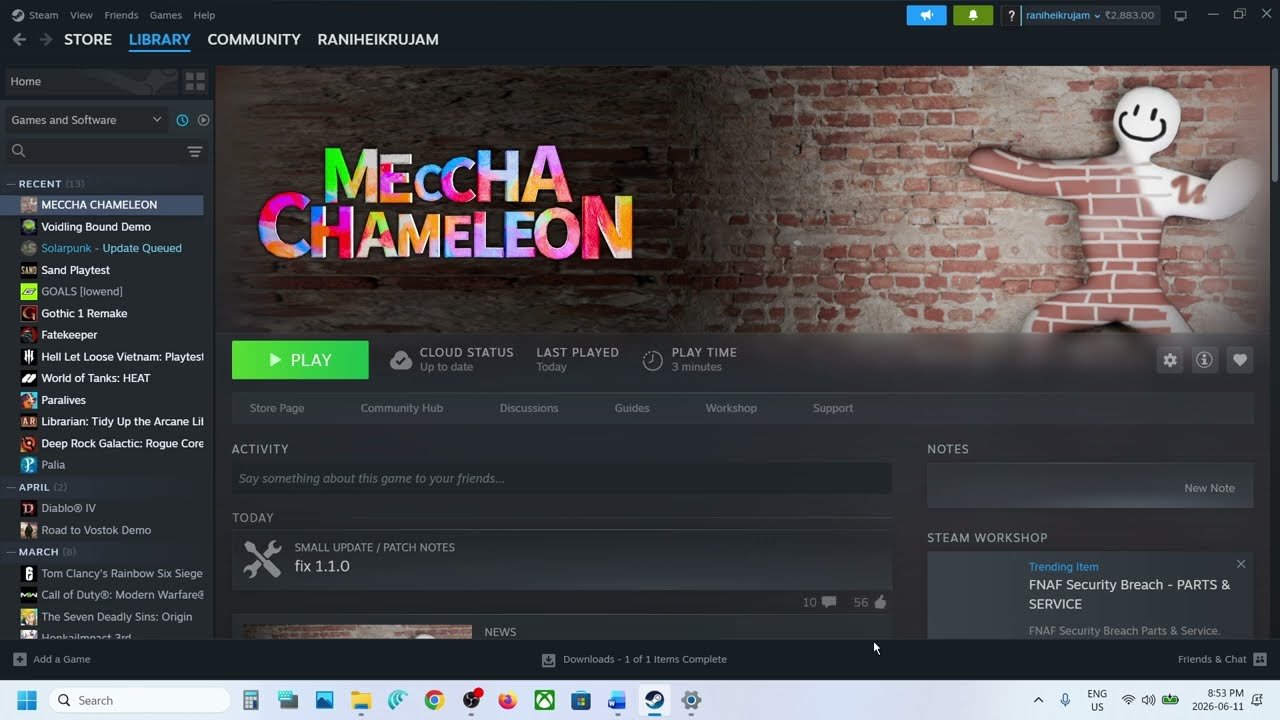
Patch and Service Context Checked July 27, 2026
The official feed lists v3.3.0 as current. Recent patches changed controller support, paint controls, GPU performance, maps, and MOD-map safety, so troubleshooting written only for v1.2.0 can point players to the wrong cause.
Game, Discord, and Workshop Safety Are Separate
Official notices stated that the Discord compromise was separate from the game and warned players not to follow links or instructions from the compromised account. v3.1.0 included a MOD-map security patch, and the v3.2.0 notice said the affected route could no longer execute unrelated files.
That does not make every third-party Workshop upload permanently trustworthy. Keep Steam and the game updated, use trusted map sources, and do not run downloads or commands from unverified community messages.
Quick diagnosis
The fastest MECCHA CHAMELEON troubleshooting path is to identify whether the issue is already fixed by a patch. Many early launch issues were solved by v1.1.0 or v1.2.0, so updating can be more useful than changing firewall, DNS, or system settings.
| Symptom | Likely cause | First step | Status |
|---|---|---|---|
| Can’t connect or gets kicked | Version mismatch or old server bug | Restart Steam and update | Officially addressed in v1.1.0 and later warnings |
| Server browser looks empty | Old public search behavior or no joinable rooms | Update to v1.1.0+ | In-progress servers hidden after v1.1.0 |
| Private lobby not showing | Search behavior or unresolved lobby issue | Confirm version, name, password, and region | Some reports remain unresolved |
| Camera sensitivity resets | Settings reset bug | Update to v1.1.0+ | Officially fixed in v1.1.0 |
| Crash when changing maps | Map-change crash | Update to v1.2.0 | Officially fixed in v1.2.0 |
| Custom map lighting looks wrong | Default skylight behavior changed | Read Workshop and patch notes | v1.1.0 changed custom map lighting |
| Workshop mod needs rehosting | Old mod integration behavior | Update to v1.2.0 | Officially improved in v1.2.0 |
| Steam Deck controls unclear | No confirmed controller profile | Use keyboard/mouse if possible | Community-reported only |
Issues by patch version
Use the official patch version before trying community workarounds. The update history hub lists all builds, while this MECCHA CHAMELEON troubleshooting section focuses on problems players actually need to solve.
Cloud save login and menu tab
v1.0.1 fixed login failure caused by cloud save data and fixed a menu tab that could not be closed. If old videos tell you to delete data first, update the game before touching local files.
Private search, spectator, tags
v1.0.2 changed private server visibility across regions and added a version mismatch warning. v1.0.3 improved matchmaking text, free spectator button visibility, and tag display in search results.
Connection, server browser, settings
v1.1.0 fixed server connection problems, camera sensitivity reset, player count showing as 0, public servers with games in progress, and several UI visibility issues.
Crash, loading, mods, Backrooms
v1.2.0 fixed a rare crash when changing maps, optimized stage loading, improved mod integration without recreating the server, and adjusted Backrooms to prevent wall-stuck issues.
Version mismatch and can’t connect
If MECCHA CHAMELEON cannot connect, start with version parity. The game has repeatedly warned that multiplayer requires the same version. Restart Steam, wait for the update to finish, launch the game again, and ask every friend in the lobby to do the same.
Do not test VPN, DNS, firewall, or router steps until all players have restarted Steam and confirmed the game updated.
v1.1.0 changed public server search so games already in progress no longer appear. A smaller list can be normal if fewer rooms are joinable.
Confirm the server name, password, and any region or tag filters. Private lobby discovery remains a reported pain point, so keep the details exact.
Open the can’t connect guide for a focused version mismatch and lobby checklist.
Gameplay video reference
Use this only after the first checks above. It is useful for low-risk PC-side steps, but official patch fixes and version checks should come first.
Game Not Launching, Map-Change Crashes, and Low FPS
Crash checklist — try in order
- ✓Update to v1.2.0+ — map-change crash was officially fixed in v1.2.0.
- ✓Restart Steam and verify game files before GPU driver steps.
- ✓Update GPU drivers — common cause of launch crashes on UE5 games.
- ✓Disable overlays (Discord, Steam recording) and retry.
- !Community only: VC++ repair, antivirus exceptions — after official steps fail.
Black screen on launch — try in order
- ✓Update the game and fully restart Steam.
- ✓Verify game files in Steam before changing PC settings.
- ✓Update GPU drivers and disable Discord or Steam overlays.
- ✓Try windowed mode once if full-screen or borderless hangs on a black screen.
GPU crash dump / UE-Chameleon crash — try in order
- ✓Update to v1.2.0+ — map-change crashes were officially fixed in v1.2.0.
- ✓Verify game files, then do a clean GPU driver install if crashes continue.
- ✓Disable overlays (Discord, Steam recording) and retry.
- !Community only: Visual C++ repair — after the steps above fail.
For crash and launch issues, first separate official MECCHA CHAMELEON fixes from generic Unreal Engine or Windows fixes. The rare crash when changing maps was officially fixed in v1.2.0. Stage loading was also optimized in v1.2.0 to reduce processing load.
If the game still fails to launch on the latest version, common community workarounds include verifying Steam files, repairing Visual C++ Redistributable, updating GPU drivers, disabling overlays, or adding the game to antivirus exceptions. These are not official MECCHA-specific fixes, so use them after updating and before reinstalling the game.
GPU & power settings
- ✓NVIDIA Control Panel: set Power Management to "Prefer Maximum Performance," disable V-Sync
- ✓AMD/Intel: enable "Performance Mode" in GPU software
- ✓Windows power plan: search "Power plan" → choose High Performance (or run
powercfg -duplicatescheme e9a42b02-d5df-448d-aa00-03f14749eb61in Admin CMD to unlock Ultimate Performance)
Close before launching
- ✓Disable Discord hardware acceleration (Discord → Settings → Advanced)
- ✓Close OneDrive, MSI Afterburner, overclocking tools
- ✓Steam: disable game recording and Remote Play (Steam → Settings)
- ✓Steam: clear download cache (Steam → Settings → Downloads → Clear Cache)
Workshop and Custom Map Troubleshooting
Create a fresh room with a standard official map first. If the official map works, the failure is more likely tied to the subscribed map, its download state, host configuration, or current MOD build than to the base connection.
v3.1.0 shipped a MOD-map security patch. Older context still matters: v1.1.0 changed custom-map skylight behavior and v1.2.0 improved mod integration. Use trusted Workshop uploads, keep the game current, and open the Workshop guide for map-specific checks.
Symptom wording players actually use
| Player wording | Likely category | Open this next |
|---|---|---|
| loads then kicks me back to lobby | Friend lobby / version mismatch | Can't connect |
| infinite load times | Lobby join or loading problem | Can't connect |
| authentication token | Login or auth issue | Can't connect |
| black screen on launch | Launch / GPU | Crash checklist |
| GPU crash dump / UE-Chameleon | Crash / driver | Crash checklist |
| subscribed map not in the list | Workshop subscription or room setup | Workshop guide |
| everyone is standing / not painted | Desync or unresolved room state | Patch history |
Controller, UI, Steam Deck, and Cloud Save Notes
Non-UI controller gameplay is official since v3.1.0, after an alpha in v2.6.0 that explicitly excluded UI operation. Keep mouse and keyboard available for menus. Steam Deck compatibility remains a separate platform question and should not be inferred from controller gameplay alone.
v3.1.0 fixed controller brush speed varying with FPS and corrected 3D eyedropper sampling. v3.2.0 removed the eyedropper button from the color palette, so a missing old button is not a broken install.
Camera sensitivity reset was fixed in v1.1.0, while cloud-save login had an early fix in v1.0.1. Treat DNS, VPN, and administrator-mode steps as generic workarounds, not official game fixes. See the controls guide for current input status.
Which workarounds are safe right now?
Start here
Restart Steam, let the game update, compare versions with friends, verify files, and restart the game after subscribing to a Workshop map.
Later steps
Disable VPN, update GPU drivers, repair Visual C++ Redistributable, or disable overlays after the version and focused-guide checks are done.
Use only when easier checks failed
DNS flush, run as administrator, network reset, or reinstall belong at the end, not at the start of a friend-lobby problem.
Open issues
Some issues are still best treated as open reports rather than solved bugs. Private lobby discovery, infinite loading when entering a server, cloud save errors after the early login fix, host crashes after a match, incomplete controller UI navigation, and Steam Deck-specific behavior all need current evidence before a wiki page can call them solved.
When reporting an unresolved issue, include your game version, whether you are host or guest, whether the server is public or private, whether Workshop content is active, and what changed right before the issue started. That information helps separate patch bugs from local PC issues. If the room starts working again, the natural next page is usually Maps or Beginner Guide.
Official Troubleshooting Sources to Check
FAQ
What should I try first when MECCHA CHAMELEON cannot connect?
Restart Steam, update MECCHA CHAMELEON, and make sure every player is on the same version. Version mismatch is the first thing to check before trying network workarounds.
Why is my friend's MECCHA CHAMELEON lobby not showing?
The lobby may be affected by version mismatch, private server search behavior, or an unresolved lobby discovery issue. Update first, confirm the server name, and then use the can’t connect guide for detailed checks.
Was the MECCHA CHAMELEON camera sensitivity reset bug fixed?
Yes. The v1.1.0 patch fixed a bug where settings such as camera sensitivity reset. If it still happens on a later version, report it as a new issue.
Did MECCHA CHAMELEON fix crashes when changing maps?
Yes. v1.2.0 fixed a rare crash that occurred when changing maps and also optimized stage loading to reduce processing load.
Why does a MECCHA CHAMELEON custom map look wrong?
v1.1.0 disabled the default skylight when using custom maps, so custom maps may need their own lighting setup. Check the Workshop guide for confirmed and unknown custom map behavior.
Does MECCHA CHAMELEON support controllers?
Yes for non-UI gameplay since v3.1.0. Menu and UI navigation may still require mouse or keyboard; Steam Deck support remains a separate platform question.
Can EOS maintenance make rooms disappear?
Yes. Official announcements have warned of EOS service outages, so check the current Steam feed before changing router, DNS, or firewall settings.
Are DNS and VPN fixes official MECCHA CHAMELEON fixes?
No. DNS, VPN, firewall, admin mode, and similar steps are community or generic PC workarounds unless a patch note specifically confirms them.
MECCHA CHAMELEON black screen on launch — what to try?
Update the game, restart Steam, verify game files, update GPU drivers, disable overlays, and try windowed mode once. Use the crash checklist on this page before reinstalling.
What does “GPU crash dump triggered” mean in MECCHA CHAMELEON?
It usually means the Unreal Engine client crashed during launch or map load. Update to v1.2.0+, verify files, update GPU drivers, disable overlays, then try community VC++ repair only if easier steps fail.